
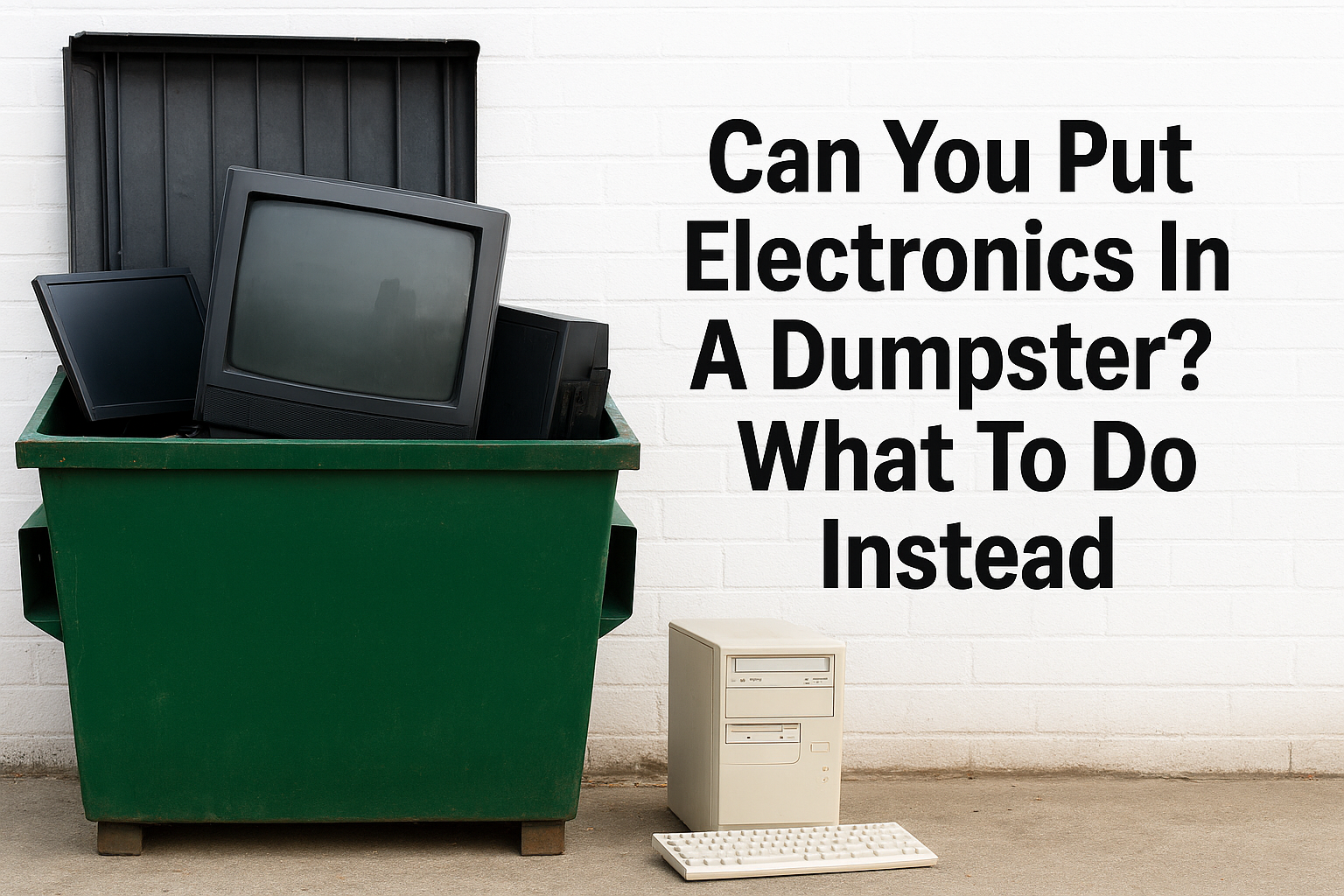
You’re mid-cleanout, tossing old furniture and junk into your dumpster, and then you spot that ancient TV in the basement. Or maybe a box of dead laptops and tangled cords. The natural question hits: can you put electronics in a dumpster? The short answer is no, and in Massachusetts, it’s actually illegal to dispose of most electronics in regular waste containers, including rental dumpsters.
This is something we deal with constantly at Dump Express. After 20+ years of dumpster rentals across Cape Cod and Plymouth, we’ve seen just about every prohibited item end up in a bin. Old monitors, printers, microwaves, they show up more often than you’d think. Electronics contain hazardous materials like lead, mercury, and cadmium that can leak into soil and groundwater when they hit a landfill. That’s exactly why Massachusetts bans them from standard disposal.
So what do you actually do with all that e-waste? This guide breaks down why electronics can’t go in your dumpster, which items are restricted, and the practical alternatives available to you right here on the Cape, from recycling drop-offs to donation options that keep your project moving without the fines or environmental damage.
Why electronics usually do not belong in dumpsters
When people ask "can you put electronics in a dumpster," the answer ties back to what electronics are actually made of. Most consumer electronics contain toxic materials that standard landfills and waste processing facilities simply are not designed to handle safely. When a TV, laptop, or phone gets crushed and compacted with regular trash, those hazardous components break down and leach into the environment over time.
The hazardous materials problem
Electronics pack a surprising amount of dangerous substances into their components. A single cathode-ray tube (CRT) monitor can contain up to 8 pounds of lead in its glass alone. Older flat screens, laptops, and fluorescent backlights carry mercury. Rechargeable batteries in phones, tablets, and laptops contain cadmium, lithium, and nickel compounds. Circuit boards are coated with flame retardants that release toxic gases when incinerated.
When these materials enter a landfill through a standard dumpster, they can contaminate soil and groundwater at levels that affect public health for decades.
These aren’t trace amounts you can ignore. Lead exposure damages the nervous system and kidneys in both people and animals. Mercury bioaccumulates in fish and waterways. The reason regulators ban electronics from regular waste streams is not bureaucratic overkill; it is because the contamination risk is real and well-documented at sites across the country.
What Massachusetts law actually says
Massachusetts takes this seriously at the state level. The Massachusetts Department of Environmental Protection (MassDEP) enforces a solid waste ban that prohibits certain electronics from disposal in any regular trash receptacle, including rental dumpsters. This ban covers a specific list of devices, and violations can result in fines for both the hauler and the property owner.
The current Massachusetts e-waste disposal ban covers televisions, computer monitors, desktop and laptop computers, and printers. The state updated these regulations to address the growing volume of consumer electronics reaching end-of-life every year. If a dumpster rental company picks up a load containing banned electronics, they face penalties at the disposal facility, and those costs flow back to you.
Here is a quick summary of what the ban covers and why each device is restricted:
| Device | Primary Hazardous Material | Reason for Ban |
|---|---|---|
| CRT television | Lead, phosphorus | High lead content in glass panels |
| CRT monitor | Lead | Up to 8 lbs of lead per unit |
| Laptop computer | Lithium, cadmium | Battery and circuit board toxins |
| Desktop computer | Lead, mercury | Multiple hazardous components |
| Printer | Mercury, plastics | Ink cartridges and internal parts |
Rental dumpster companies in Massachusetts, including Dump Express, are required to refuse or pull restricted electronics from loads before disposal. That means if banned items turn up in your bin, they get sorted out and extra charges may apply. Knowing the rules ahead of time keeps your cleanout on schedule and your total cost predictable.
Step 1. Identify what counts as e-waste
Before you can decide what to do with your old devices, you need to know what actually qualifies as e-waste. The term covers far more than just computers and televisions. If you’re wondering "can you put electronics in a dumpster," start by sorting through your items and flagging anything with a circuit board, battery, or screen before your dumpster shows up on delivery day.
Common e-waste items found in home cleanouts
Most people recognize TVs and laptops as restricted, but the list stretches well beyond those two. Anything that runs on electricity and contains a plug, internal battery, or circuit board falls under e-waste guidelines in Massachusetts. Here are the most common items you will encounter during a typical home cleanout or renovation:
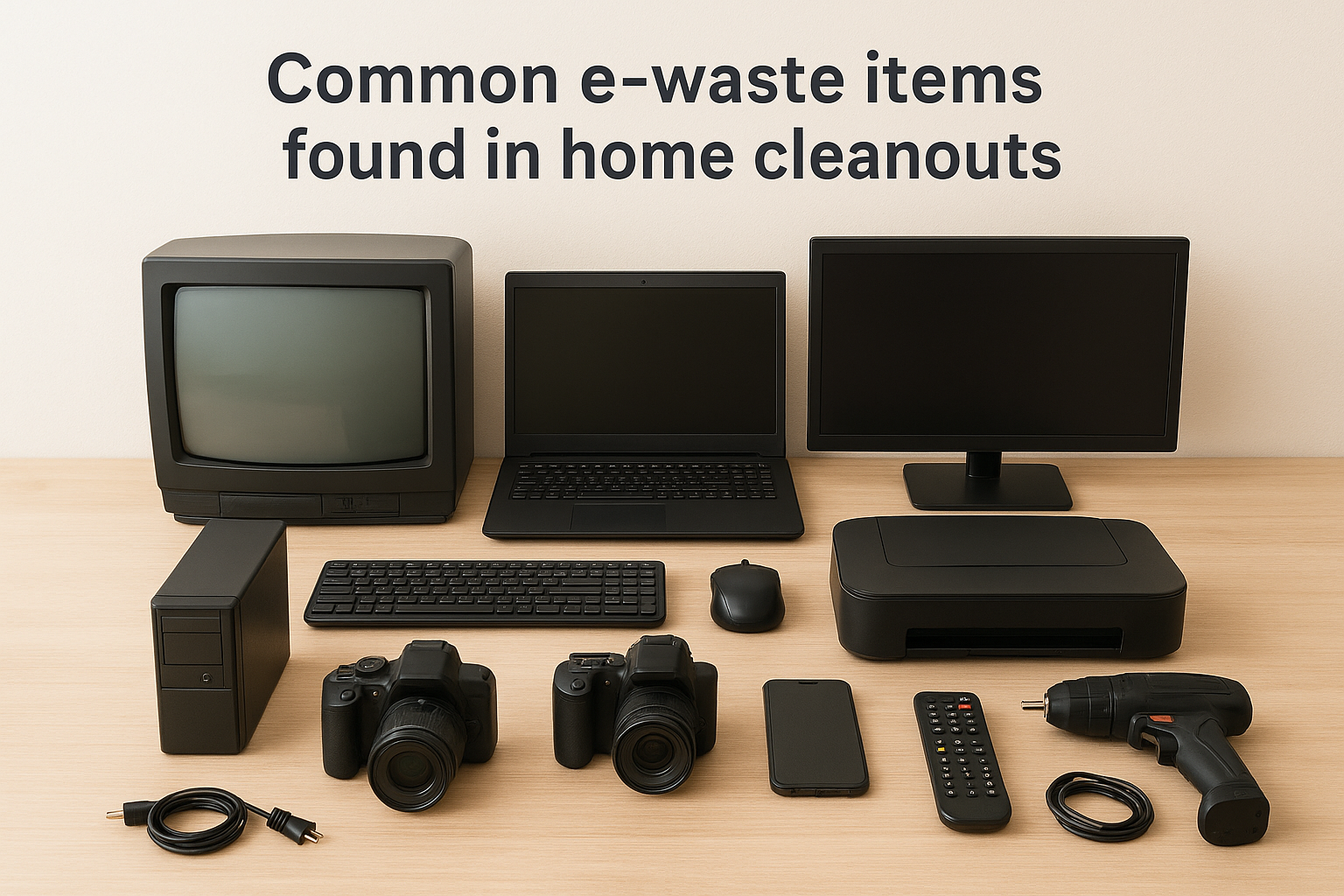
- Televisions (CRT and flat screen)
- Desktop computers, laptops, and tablets
- Monitors (CRT and LCD)
- Printers, scanners, and fax machines
- Cell phones and smartphones
- Cameras and video recorders
- DVD and Blu-ray players
- Gaming consoles and accessories
- Small kitchen appliances with electronic controls
- Power tools with rechargeable battery packs
When in doubt, pull the item out of the dumpster pile. If it has a power cord, a screen, or a rechargeable battery, treat it as e-waste.
Items that often get overlooked
Some devices do not look like electronics at first glance, but they carry the same hazardous materials as a laptop or monitor. Smoke detectors contain a small amount of radioactive americium-241, and older mercury-style thermostats require specialized handling before disposal. Fluorescent bulbs and compact fluorescent lamps (CFLs) contain mercury and face their own separate disposal restrictions under Massachusetts regulations.
Your practical move here is straightforward: walk through your cleanout space before loading anything into the dumpster and physically set aside every item that could be electronic. Cable boxes, wireless routers, and old answering machines all need to leave through a different channel than your rental bin. Ten minutes of sorting upfront prevents unexpected surcharges and keeps your entire project on schedule.
Step 2. Pick the right disposal option near you
Once you’ve sorted your electronics from the rest of your cleanout pile, the next move is figuring out where those items actually go. Massachusetts offers several legitimate disposal paths, and most of them cost nothing or close to it. The right option depends on what you have, how much you have, and how quickly you need it gone.
Massachusetts e-waste drop-off and collection programs
MassDEP coordinates with municipalities to run e-waste collection events throughout the year, and many towns on Cape Cod and in the Plymouth area hold annual or seasonal drop-off days where residents can bring restricted electronics at no charge. Check your town’s official website for scheduled collection dates, since availability varies by municipality and spots fill up quickly.
If you’re asking "can you put electronics in a dumpster" because you have a large volume of devices to clear out, a collection event for the electronics combined with a rental dumpster for everything else is the most efficient approach to your cleanout.
Best Buy also operates a year-round in-store recycling program that accepts a wide range of electronics, including TVs up to 50 inches, computers, phones, and small appliances. You drop items off at any store location, and they handle certified recycling from there. Some items carry a small fee, but most standard consumer devices are free to drop off.
Manufacturer and retailer take-back programs
Many manufacturers run their own take-back programs that let you ship or return devices directly without leaving your property. Apple offers a trade-in and recycling program through their website where you can mail in older devices at no cost, regardless of condition. Dell’s Reconnect program partners with Goodwill locations to accept any brand of computer equipment for recycling or refurbishment, which means your hardware could get a second life instead of a landfill.
Here is a quick reference for the most accessible take-back options available to you:
| Provider | Items Accepted | Cost | How to Access |
|---|---|---|---|
| Best Buy | TVs, computers, phones, appliances | Free for most items | Drop off in-store |
| Apple Recycling | Apple devices | Free | Mail-in or Apple Store |
| Dell Reconnect | All computer brands | Free | Goodwill drop-off locations |
| Town collection events | All MassDEP-banned electronics | Free | Check your town website |
Step 3. Protect your data and prep devices
Before you drop off a laptop or hand over your old phone at a recycling event, protecting your personal data is the most critical step most people skip entirely. A recycled device that still holds your saved passwords, tax documents, or financial records creates a real and preventable privacy risk. Taking 30 minutes to prep your devices properly before they leave your hands keeps your information out of the wrong hands.
Wipe your devices the right way
Deleting files is not the same as wiping a device. When you drag something to the trash and empty it, the data still exists on the drive until something else overwrites it. A proper factory reset or disk wipe removes your personal information in a way that makes recovery extremely difficult for anyone who handles the device after you.
For computers, Microsoft’s built-in "Reset this PC" feature in Windows 10 and 11 includes a "Remove everything" option that overwrites your data before you pass the device along.
Work through this checklist before recycling each device type:
- Smartphones and tablets: Back up contacts and photos, then run a full factory reset through your settings menu
- Laptops and desktops: Sign out of all accounts, then use your operating system’s built-in reset tool with the full overwrite option selected
- External hard drives: Use your operating system’s disk utility to format and overwrite the drive completely
- Printers: Clear stored network credentials and any saved fax logs through the printer’s own menu settings
Remove batteries and accessories before drop-off
Loose lithium batteries pose a fire hazard at recycling facilities, and many drop-off programs require you to remove them from devices before you arrive. Pull any removable battery packs from laptops, power tools, and tablets, then check whether your collection site accepts batteries through a separate channel.
Accessories like charging cables, cases, and memory cards do not need to go with the recycled device. A working cable or memory card can often be donated or reused, and unlike the electronics themselves, most cords and cases go straight into your regular dumpster load without any issue. Sorting these out before you ask "can you put electronics in a dumpster" makes the whole process faster and cleaner.
Step 4. Handle bulky cleanouts the safe way
When you’re tackling a large cleanout, the goal is to get everything out in one efficient pass. Mixing restricted electronics into your dumpster load creates delays, extra charges, and potential fines that slow the whole project down. The smart approach is to run two parallel tracks: one for e-waste through the channels covered in Steps 2 and 3, and one for everything else through your rental dumpster.
Separate electronics before the dumpster shows up
The best time to sort is before your dumpster arrives, not after. Walk each room of your home or job site and pull any device with a screen, power cord, or rechargeable battery into a dedicated staging area, like a corner of your garage or driveway. Once those items are physically separated from the rest, your loading crew knows exactly what goes in the bin and what waits for a different pickup.
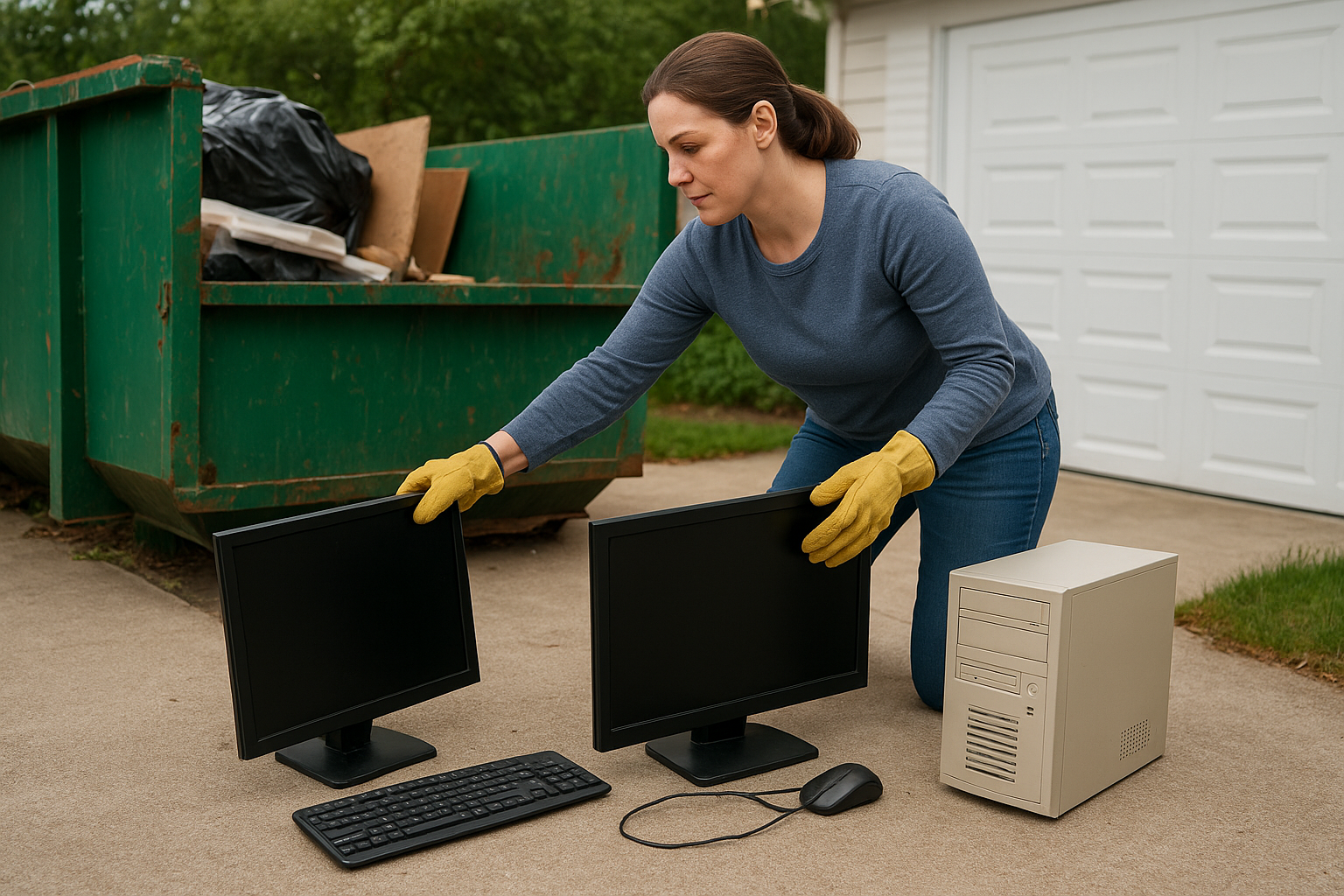
If you’re still asking whether you can put electronics in a dumpster while standing in front of a pile of mixed junk, stop and sort first. Thirty minutes of separation saves you from pulling items out of a loaded bin later.
This approach works especially well when you’re clearing out multiple rooms at once. Assign one person to flag electronics as items come out of closets, attics, or basements, while others focus on loading furniture, construction debris, and general waste into the bin. Splitting the tasks keeps your project timeline tight.
Load your dumpster efficiently once electronics are out
With restricted items removed, loading your dumpster becomes straightforward. Place heavy, flat items like furniture, drywall, and flooring at the bottom first, then stack lighter debris on top to maximize your available space. Avoid tossing bags loosely into the bin since they waste volume quickly and can create overfill situations that add to your haul costs.
Most household cleanouts, even large ones, work well with a 10-yard or 15-yard dumpster once electronics, mattresses, and other restricted items are removed and routed separately. If you have questions about the right size for your specific project, the Dump Express team can walk you through the options before you book.
A simple plan you can follow today
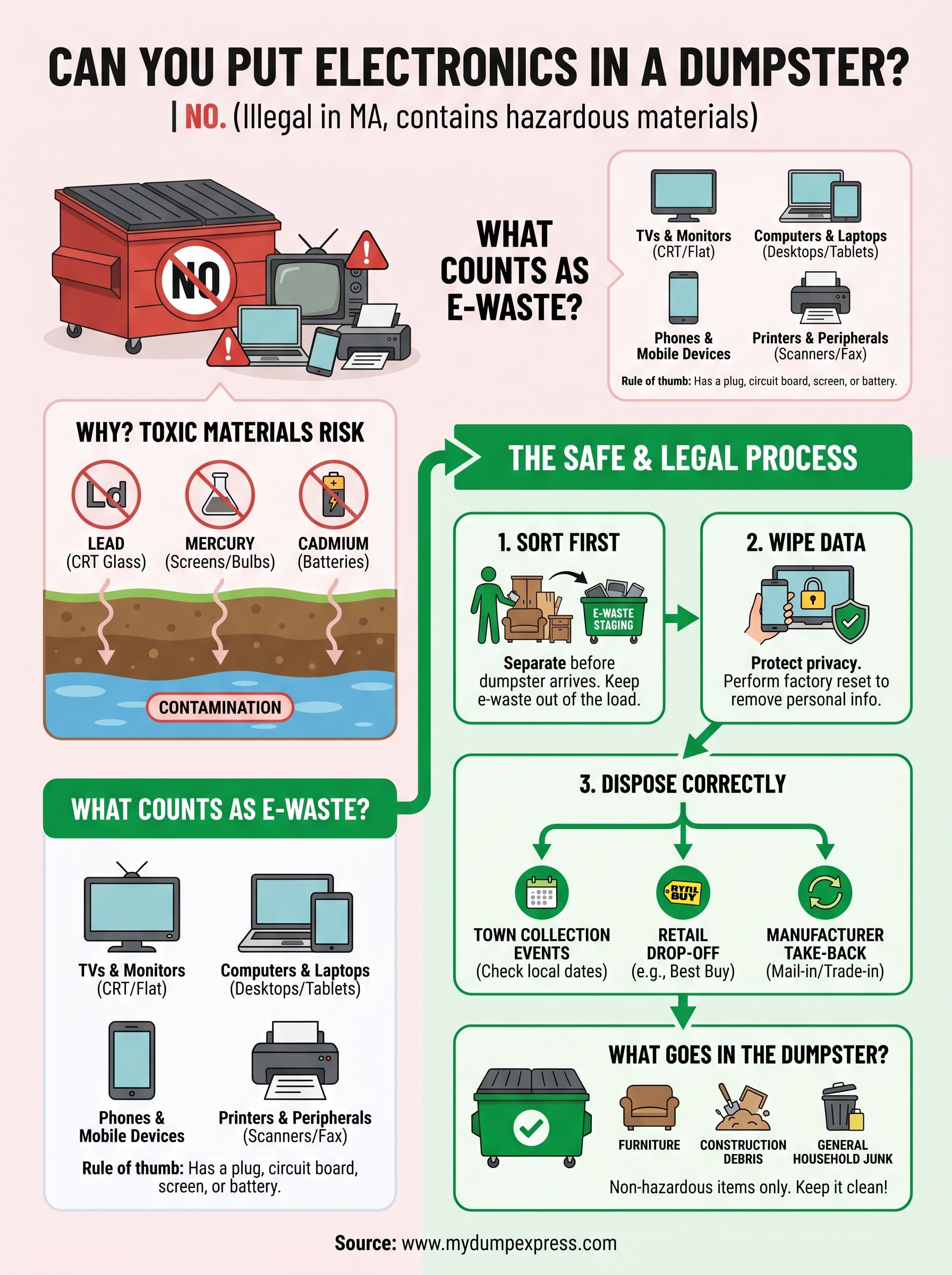
The answer to "can you put electronics in a dumpster" in Massachusetts is no, but that does not have to stall your project. Sort your electronics before your dumpster arrives, route them to a collection event, Best Buy drop-off, or manufacturer take-back program, and wipe your personal data before anything leaves your hands. Everything else, furniture, construction debris, general household junk, goes straight into your rental bin without issue.
Your cleanout moves faster when the two tracks stay separate from the start. Set aside one staging area for e-waste and load everything else into the dumpster to avoid last-minute sorting, surcharges, and delays. If you need a reliable dumpster for your Cape Cod or Plymouth area project, book your dumpster rental with Dump Express and we’ll help you size it right for what you actually have.